

So you're a business and you're wanting to run Google Ads, and you're wondering: how much does Google Ads cost per month? You have no idea how much to spend, how the whole system works, all that kind of stuff. We’ll show you how it works right now.
If you ask 15 different people, you will probably get 15 different answers. But as experts with wide experience in this stuff, we’re going to give you the agency answer to determining your Google Ads budget.
FINPR agency tests and develops cutting-edge ad strategies every single day. And we write our blog for the purpose of sharing the best tips to improve ROI and strategies that we see working right now. Hopefully, they’ll help you with your own advertising so your campaigns can become successful.
How Google Ads Pricing Works
Every time an ad spot becomes available - for a search result, a YouTube video, or a website in the Display network - Google runs a quick auction. Advertisers put forward how much they’re willing to pay, or they pick an automated strategy that sets bids for them. Google then combines that bid with how relevant your ad is and how good the landing page experience is to decide which ads show and where they sit.
According to Google, you can spend as much or as little as you want on Google Ads. What’s not so clear is how much those ads actually cost you — and I’m going to discuss that in just a moment. But first, let’s look at how budgets work.
Daily Budget
Regardless of cost, you can set a daily budget for your campaigns inside of Google Ads. For example, if you wanted to spend $240 on advertisement on a monthly basis, you would simply set a $8 daily budget. This would mean that your ads will no longer appear on Google once your $8 daily budget has been exhausted.
It also means that you will not exceed your monthly budget of $240, since $8 per day times 30 days per month equals $240. That’s how daily budgets work.
Lifetime Budget
A lifetime budget allows you to put your total spend in for a campaign. For example, let’s say you’re running a holiday ad that’s only going to run for a specific period of time. In that case, you can use the lifetime budget to enter your total budget for the campaign.
Once that budget has been exhausted, your ads will no longer run on Google. So that’s basically how you set your budget inside of Google Ads to virtually spend however much you want to spend.
Factors That Push Prices up or Down
- Competition for the audience or search query;
- Where you want the ad to show - country, city, or even device type;
- How well your ad text and landing page match the user’s intent;
- The campaign settings you choose - manual control versus automated bidding, target goals, and bid adjustments.
You can pick from manual bidding or a range of automated strategies - target CPA, target ROAS, maximize clicks, and others. Automated options can help if you prefer to focus on results instead of setting bids every hour, but manual control gives you precise influence over spend.
Key Aspects That Determine Your Monthly Google Ads Cost
When it comes to how much does it cost, it really depends on what your budget is, right? To understand the true cost, you must understand how Google charges its advertisers.
PPC
The most common way Google charges advertisers is on a pay-per-click basis, also known as PPC. With PPC advertising, you’re only charged when someone clicks on your ad. No clicks, no pay.
This means that if 5,000 people saw your ad and no one clicked it, you would pay absolutely nothing to Google. But it also means that if 5,000 people clicked your ad, you would pay the cost associated with every click.
For example, if each click cost $10, then you would pay $10,000 for 1,000 clicks. A common concern that my clients typically have is: what happens if the number of clicks exceeds what they can afford? If that’s you, no need to worry.
Remember, you can control your costs by setting a daily budget. Once that budget is exhausted, your ads will no longer run — which also means you’ll no longer get clicks that could increase your Google Ads cost.
CPC
Another common concern is cost per click (CPC). Anytime you're trying to figure out how much Google Ads costs per month, you need to start with keyword research and understanding your google ads CPCs.
A lot of people want to know what their estimated cost per click is going to be before they start running advertisements. Here’s how you can get an idea.
The first thing you need to know is that CPCs vary based on the keyword you’re targeting. CPCs range greatly based on industry and competition.
A good google ads agency should be able to do keyword research and identify the best highly competitive keywords to target based on cost and effectiveness, average CPC for google, CPC benchmarks. If you need help with this, contact us at FINPR — we’ll be happy to help.
If you’re going solo, you can do keyword research for free using Keyword Planner.
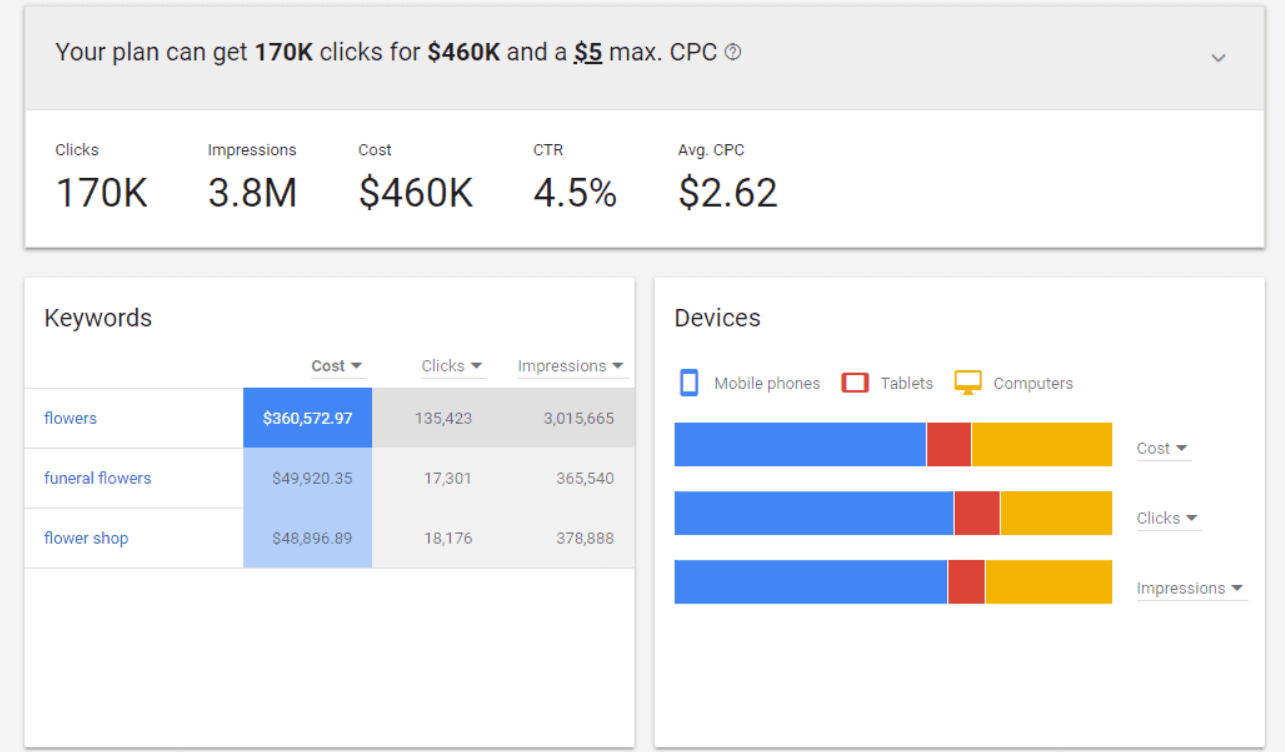
Just type in a keyword, and Google will show you a list of related recommendations.
CPA
Too many ad managers obsess over CPCs. That’s a vanity metric. CPCs matter, but they don’t determine your monthly ad costs. What also matters is your CPA — cost per acquisition, or cost per lead.
The real question isn’t “How much does Google Ads cost per month?” The real question is:
- What ROI can I generate?
- Can I hit 300%, 400%, or even 500% ROI?
That’s what you should be tracking.
Say you want 15 clients per month. Or maybe 25. Or 50.
Now, instead of focusing on one-time sales, enter your average customer lifetime value — including upsells, cross-sells, repeat purchases, and referrals.
When you know your lifetime value, you can afford to spend more to acquire customers. And the business that can afford the highest acquisition cost wins in Google Ads.
If you haven’t built this out, Google Ads will struggle to be profitable for you.
Landing Page Performance
Where people land after the click matters a lot. Slow pages, unclear offers, or confusing forms reduce conversions. That makes each lead more expensive. Strong pages can keep costs down even in competitive markets.
Your Industry and Market Pressure
Some niches are calm. Others are crowded with brands fighting for the same clicks. Legal services, finance, SaaS, and real estate tend to push prices higher. Local services, niche ecommerce, or early stage products often see lighter pressure. The more advertisers chasing the same attention, the faster costs rise.
Where and How Your Ads Appear
Location matters. Ads in New York or San Francisco usually cost more than the same ads in smaller cities. Devices play a role too - mobile, desktop, and tablet prices are rarely equal. Placement choices across Search, Display, YouTube, or Shopping also change the monthly bill.
Average Google Ads Cost Per Month: Realistic Benchmarks
Once you have your estimated CPCs, it’s time to figure out how much you should actually be spending on Google Ads.
People often ask for a “normal” monthly spend. We get why. You want a number you can sanity-check before launching anything. The truth is there is a range, and it depends on what kind of business you run and how aggressive your goals are.
There really is no perfect way to determine a budget. Obviously, it varies based on a couple of different factors. Depending on what industry you’re working in, your cost is going to vary. Also, it’s going to depend on how much you’re willing to spend.
But I would highly recommend that your budget for Google Ads is, at minimum, at bare minimum, $25 a day. So that might sound like a lot depending on where you are in your business, but Google’s expensive, especially in 2026.
So these things take time. They take time for a campaign to get successful. It’s not something that happens in 14 days or 7 days. It takes a budget for at least 30-90 days.
You need some runway for your campaign to take off and really start generating leads for you. And then you’re closing those leads into sales, and then you can reinvest back into Google Ads, and it’s a whole circle-of-life thing here with the leads.
Setting your Google Ads budget is a double-edged sword. If you spend too little, you risk not getting enough clicks to generate conversions. You might spend $200 and get 20 clicks — which probably won’t change your business.
On the other hand, if you spend too much (e.g. $10,000 in 3 months), you risk wasting money if nothing works.
Here’s exactly what we advise at our agency.
- You should spend enough money to generate your first 100 clicks. Your exact cost will vary based on CPC, but for most industries, you’ll need to spend at least $800 per month.
- After your first 100 clicks, analyze performance and optimize. Then spend enough to generate your second 100 clicks. Analyze again. Then generate your third 100 clicks.
- At that point, you’ll have about 300 clicks. If each click costs $5, you’ll spend $1,500 over three months. If clicks cost $10, that’s $3,000 over three months.
- After about 300 clicks, stop and ask yourself: Is this working? We’re not talking about explosive growth. We’re looking for signs of progress — a few leads or sales. With a 1% conversion rate, 300 clicks would give you three conversions. That’s enough to know you’re moving in the right direction.
- From there, you can optimize toward breaking even, then profitability.
In one sentence: you need to spend enough to generate enough traffic to see conversions. In my opinion, 300 clicks is the minimum. Anything less isn’t enough data. Use these benchmarks as a frame, not a rule. Industry averages and CPCs change, so plug in your own numbers as you collect data.
How to use benchmarks the smart way
- Pick a range that matches your business type.
- Start closer to the lower end for testing.
- Increase spend only after you see stable conversions.
- Judge results by cost per lead or sale, not clicks.
Common Pitfalls & How to Avoid Them
Even smart teams burn money in Google Ads. Most issues are very fixable once you know where to look. Here are the big ones we run into, plus simple ways to avoid them.
Lack of Basic Understanding of the Concept
If you are brand new to Google Ads, please do not go create a campaign without deep research of that topic. Because it can be a dangerous thing, and you can spend a lot of money and get zero results, and it just won’t work out well. So if you are brand new, you can also go to FINPR agency to create Google Ads campaigns.
Spending Without Clear Goals
Running ads just to “get traffic” is one of the fastest ways to waste budget. If you don’t know what a good result looks like, the system can’t help you. Decide upfront what counts as success. Leads, sales, sign-ups, phone calls. Pick one or two and build everything around that.
Weak Landing Pages
Good ads pointing to slow, confusing, or generic pages rarely work. Even strong interest fades quickly if the page feels off. Send people to a page that matches the ad message exactly.
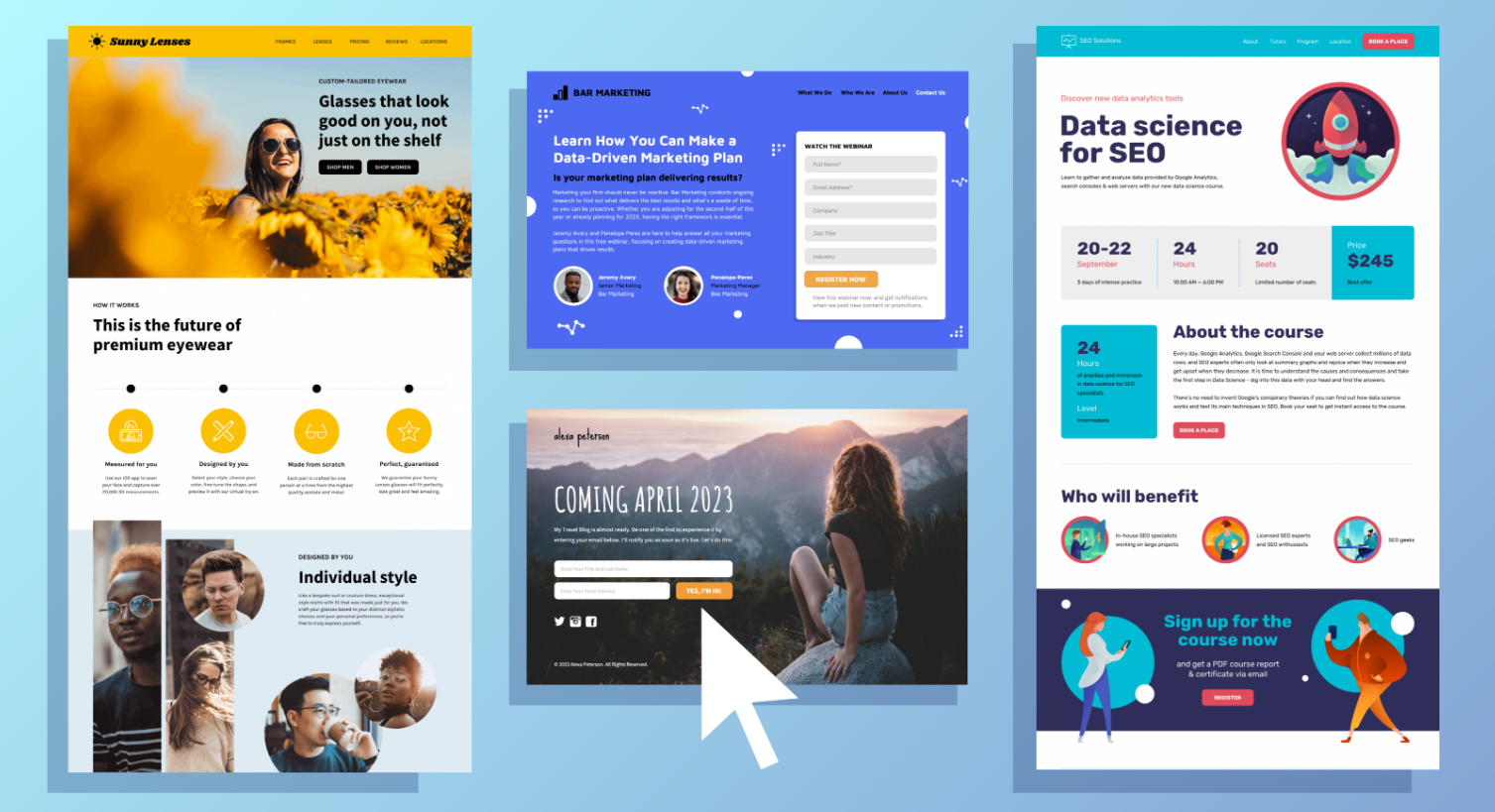
Clear headline, fast load time, one main action. Keep it simple.
Too Fast Beginning
Start small. Once you understand your keywords, start conservatively. Don’t go gangbusters and dump massive budgets upfront. You need time for testing and learning.
You may start with something like 15 clicks per day. Take your CPCs, establish a baseline budget, and optimize from there. Once you’re profitable, then you scale.
The first few months are for testing audiences, keywords, headlines, and — most importantly — identifying negative keywords that are wasting your budget. This is not something you can run on autopilot. Automation often pushes campaigns into broad match, pulling in irrelevant traffic that isn’t profitable.
Lack of Long-Term Campaign Management
You would set your budget at $90 per day, and then you can expect to pay $90 times 30, which would be about $2,700 per month.
However, you can set up Google Ads to run only on certain days or only at certain times. A lot of those questions can only be answered by testing a Google Ads campaign. After you’ve run your campaign for about a month, you’re going to understand when your customers are more likely to click on your ads and which ads are actually working. You need to have a lot of different variations of keywords, and then review those from time to time to make sure you’re not paying for keywords that aren’t converting.
If you only have a budget of $200, you can still advertise on Google. You could put your bids at $4 and let it run for the month. You’re not going to be very competitive every day, so you may not get calls daily, but you can still advertise.
Google Ads isn’t something you launch and ignore. Markets change, competitors adjust bids, and user behavior shifts. Review performance weekly. Even short check-ins help catch issues before they turn into real losses.
Changing Too Many Things at Once
It’s tempting to edit bids, ads, audiences, and budgets all in one day. That makes it impossible to know what caused performance shifts. Change one thing at a time. Give it a few days, check results, then move to the next adjustment.
Final Thoughts
Let’s wrap up with a quick recap. We answered two questions: how much do Google Ads cost, and how much should you spend?
- Google typically charges on a cost-per-click basis. Costs vary based on keywords and competition.
- You should research keywords carefully and focus on opportunities with high value and manageable cost.
- To set your budget, spend enough to generate traffic and conversions. Aim for at least 300 clicks, reviewing performance after every 100.
- Think of traffic like an engine. Without it, nothing starts. Once it’s running, you can steer toward your goal.
- If you have to choose between spending more or less, spend more. More traffic means more opportunities to convert.
- Start small. Monitor everything. Stay within your target CPA.
- Once you’re profitable — scale aggressively and don’t stop.
Don’t overcomplicate the setup. Simple, well-measured campaigns beat flashy ones that aren’t tracked. Make changes one at a time so you can tell what helped. Check performance regularly and keep tightening your targeting until your cost per result fits your business economics.
Google Ads can be predictable once you stop guessing and start measuring. When the numbers make sense, scaling feels natural. When they don’t, no budget will save it.
That’s our overview on Google Ads cost per month. Contact FINPR team if you need help with digital marketing.

